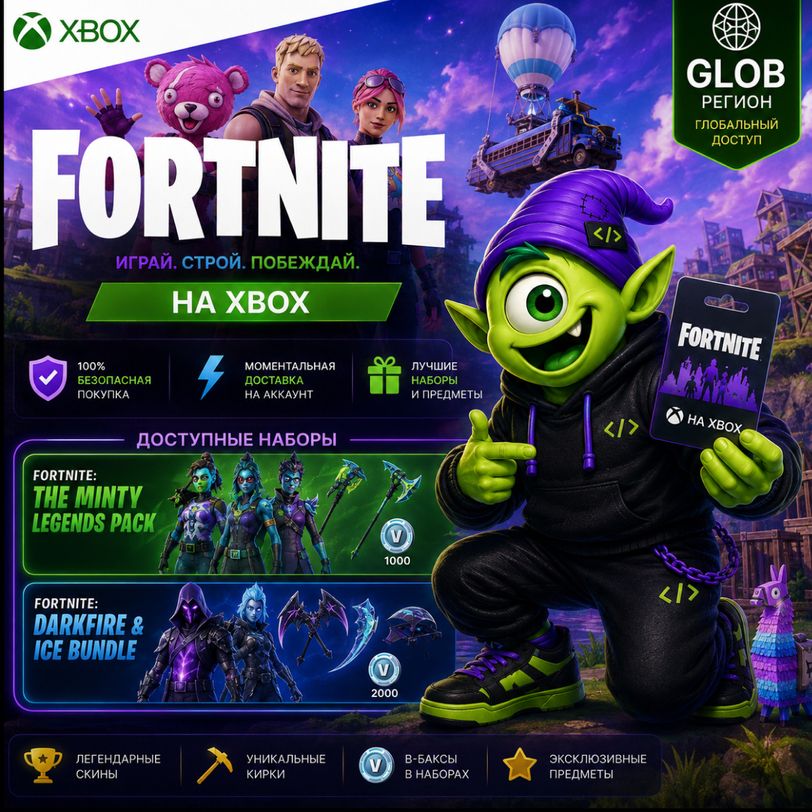
АВТО 24/7 | FORTNITE XBOX GLOBAL | MINTY LEGENDS & DARKFIRE ICE BUNDLE | КЛЮЧ
🎮 Buy FORTNITE | XBOX | GLOBAL from Kod Kodych
⚡ Instant automatic delivery 24/7
🔑 Digital Xbox activation code
🌍 Region: GLOBAL
🎁 Fortnite additional content bundles
🎮 For Xbox Series X|S / Xbox One
🚀 Easy self-redemption
🔥 FORTNITE | XBOX | GLOBAL 🔥
After payment, you will receive a digital code for your selected Fortnite bundle for activation on Xbox.
🎁 AVAILABLE:
🍬 Fortnite: The Minty Legends Pack
🔥❄️ Fortnite: Darkfire & Ice Bundle
🌍 Region: GLOBAL
🎮 Platform: XBOX
🔑 Digital activation code
⚡ Automatic delivery 24/7
❗ Please select the required bundle before payment.
🏝 EXPAND YOUR FORTNITE COLLECTION!
Fortnite is a huge gaming universe with countless modes, events and ways to play.
👑 Battle for victory in Battle Royale
🔨 Jump into Zero Build
🧱 Explore LEGO Fortnite
🏎 Race to the finish in Rocket Racing
🎵 Take the stage in Fortnite Festival
🌎 Discover thousands of creator-made islands
🧟 Play deathruns, racing, survival, zombie modes and much more
🛠 Create your own islands with Fortnite Creative and UEFN
Choose one of the available bundles and add new content to your Fortnite collection.
🎁 WHAT WILL YOU RECEIVE?
✔ Digital code for your selected Fortnite bundle
✔ Fortnite: The Minty Legends Pack OR Fortnite: Darkfire & Ice Bundle
✔ Xbox activation code
✔ GLOBAL region
✔ Instant automatic delivery 24/7
✔ Easy self-redemption
✔ Kod Kodych customer support
🚀 HOW TO RECEIVE YOUR PRODUCT:
1️⃣ Select the required bundle.
2️⃣ Complete your payment.
3️⃣ Click "Receive Product".
4️⃣ Receive your unique 25-character Xbox code.
5️⃣ Redeem the code.
⚡ Your code is delivered automatically after successful payment.
🎮 HOW TO REDEEM ON XBOX SERIES X|S / XBOX ONE
1. Sign in to your Xbox console.
2. From the Home screen, open the Microsoft Store.
3. Move the cursor to the left or press the View button on your controller to open the side menu.
4. Select "Redeem".
5. Enter your 25-character code.
6. Follow the onscreen instructions to complete the redemption.
🌐 HOW TO REDEEM USING A WEB BROWSER
1. Go to:
https://redeem.microsoft.com
2. Sign in.
3. Enter your 25-character code.
4. Check the product information.
5. Confirm the redemption.
💻 HOW TO REDEEM ON WINDOWS 10/11
1. Sign in to your Windows device.
2. Press the Start button and open Microsoft Store.
3. Select More "..." → "Redeem a code".
4. Enter your 25-character code.
5. Follow the onscreen instructions.
⚠️ IMPORTANT BEFORE PURCHASE
🌍 Product region: GLOBAL.
🎮 Platform: XBOX.
🎁 You are purchasing the selected Fortnite additional content bundle.
🔑 After payment, you will receive a digital 25-character Xbox activation code.
❗ Two options are available:
🍬 Fortnite: The Minty Legends Pack
🔥❄️ Fortnite: Darkfire & Ice Bundle
Please carefully select the required bundle before payment.
❗ Make sure the selected product is compatible with your platform and region before purchasing.
REFUND OR REPLACEMENT is available if there is an issue with the delivered code caused by us.
👾 Kod Kodych — digital products without the hassle!
How do I get a code? 🤔
After payment, click "Receive item" in the email or on the purchase page. You´ll then be taken to a page with a unique code. 🎉There´s no need to send the unique code to the seller via chat.
Sincerely, the Code Kodycha team 💜
We help you get your favorite services quickly, securely, and hassle-free 🚀
Оплата и выдача товара осуществляются через партнёрскую платформу.