Fix прошивка для Samsung ML-2160/2165/2167/2168
Windows XP | Vista | 7 | 8
v1.01.01.05 v1.01.01.08 v1.01.01.11
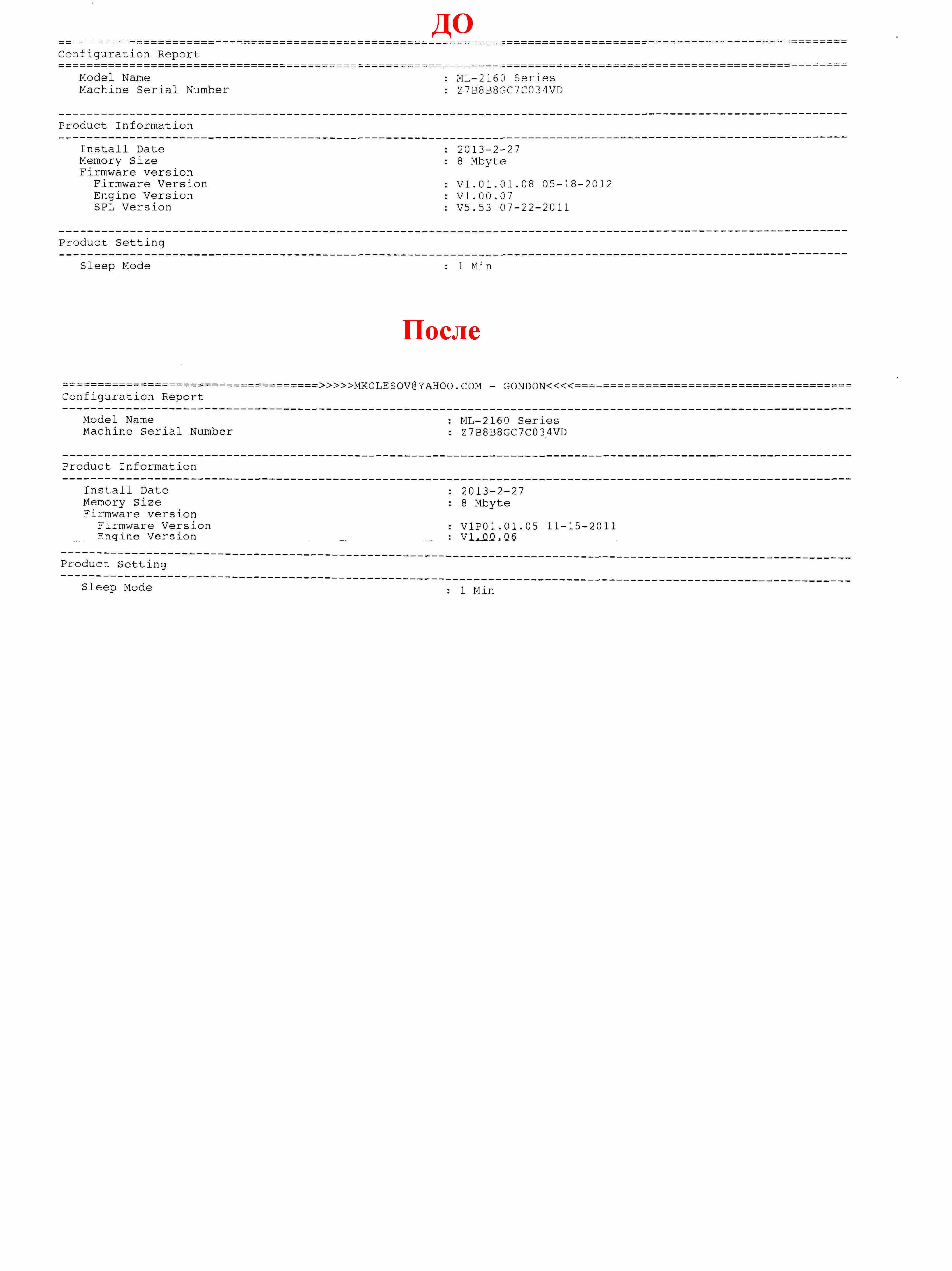
First, get a report on the current firmware version
To find out the version, you can print the report: press and hold the PrintScreen button for 10 seconds.
If the printer has firmware V1.01.01.05, then:
1. Download the archive.
2. Drag the file MA_FIX_ML2160_V1.01.01.05.hd to the file usbprns2.exe.
Wait for about 5 minutes until the machine reboots.
3. Remove or seal the chip, check for paper.
If the printer has firmware V1.01.01.08, then:
1. Fill the modified firmware ML2160_V1.01.01.08_original_X.hd, it removes the control version of the firmware.
Enter the forced mode
Turn on the machine with the PrintScreen button held down, hold the PrintScreen for 3 seconds, then release it. The printer enters the forced mode. If the device is locked, then through the forced mode you can download the firmware.
2. In the compulsory mode, fill the multifunction firmware MA_FIX_ML2160_V1.01.01.05.hd.
3. Remove or seal the chip, check for paper.
If the printer has firmware V1.01.01.11, then:
1. Fill the modified firmware ML2160_V1.01.01.11_original_X.hd, it removes the control version of the firmware.
Enter the forced mode
Turn on the machine with the PrintScreen button held down, hold the PrintScreen for 3 seconds, then release it. The printer enters the forced mode. If the device is locked, then through the forced mode you can download the firmware.
2. In the compulsory mode, fill the multifunction firmware MA_FIX_ML2160_V1.01.01.05.hd.
3. Remove or seal the chip, check for paper.
Оплата и выдача товара осуществляются через партнёрскую платформу.